WhatsApp Business API Terms Explained in Plain English
New to WhatsApp Business API? Learn the meaning of essential terms such as templates, display names, quality ratings, opt-in, opt-out, and session windows. This beginner-friendly guide explains how these concepts work and how they apply when managing WhatsApp campaigns through WanzieSend.
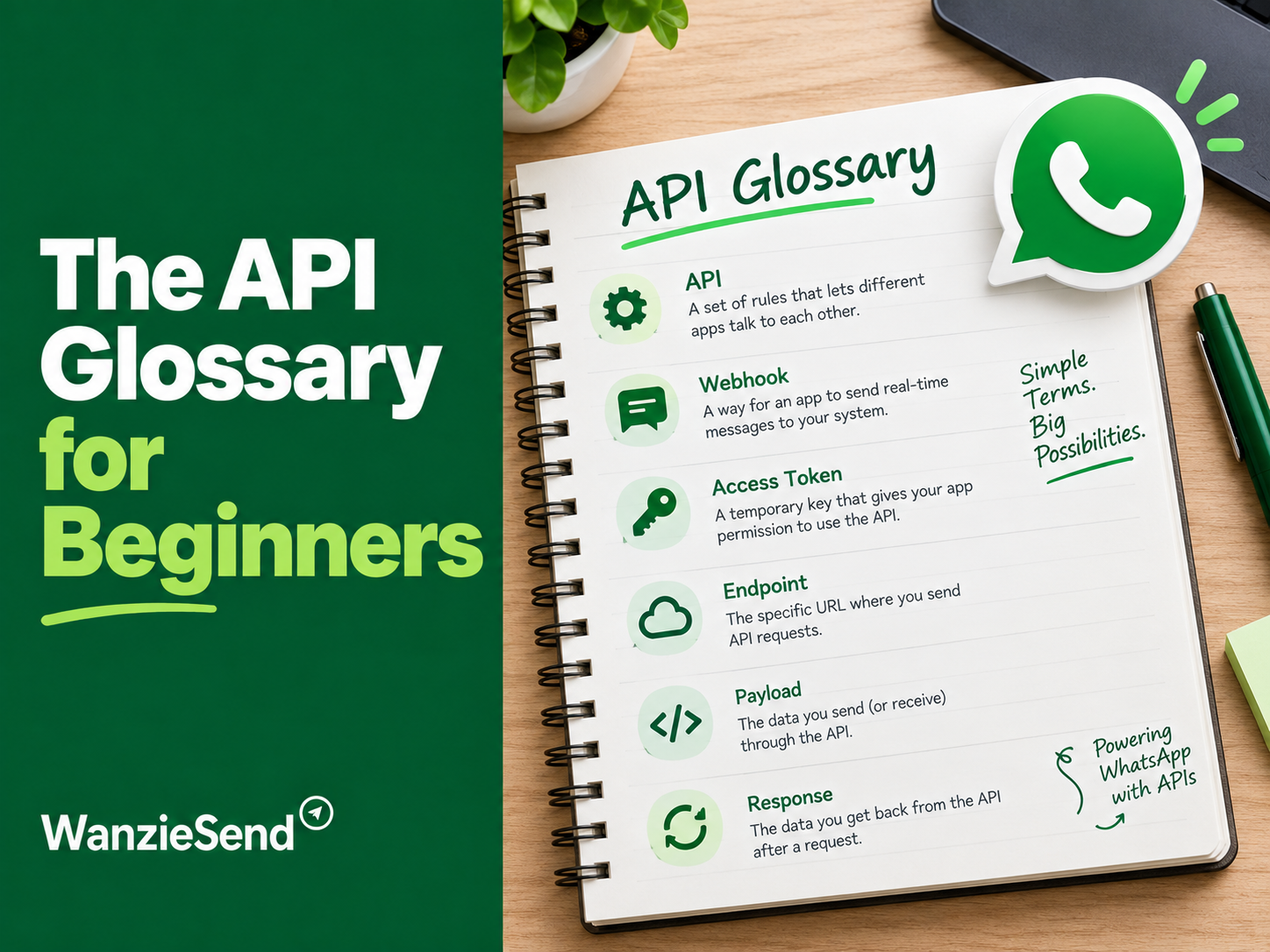
Originally published by Time Booster Marketing
These terms can sound technical, especially if you are new to WhatsApp Business. However, understanding them is important if you want to communicate with customers professionally, send marketing messages at scale, and avoid common messaging restrictions.
The WhatsApp Business API is designed to help businesses manage customer conversations through connected platforms, automation tools, and customer service systems. Unlike the regular WhatsApp application, it supports more advanced business messaging workflows.
For businesses using platforms such as WanzieSend, understanding these terms makes it easier to create campaigns, manage contacts, send approved messages, and understand how WhatsApp messaging works.
This guide breaks down the most important WhatsApp Business API terms in plain English, with practical examples to help beginners understand what they mean and how they apply to everyday business communication.
What Is the WhatsApp Business API?
The WhatsApp Business API is a business messaging interface that allows companies to connect WhatsApp to software platforms and systems for managing customer communication.
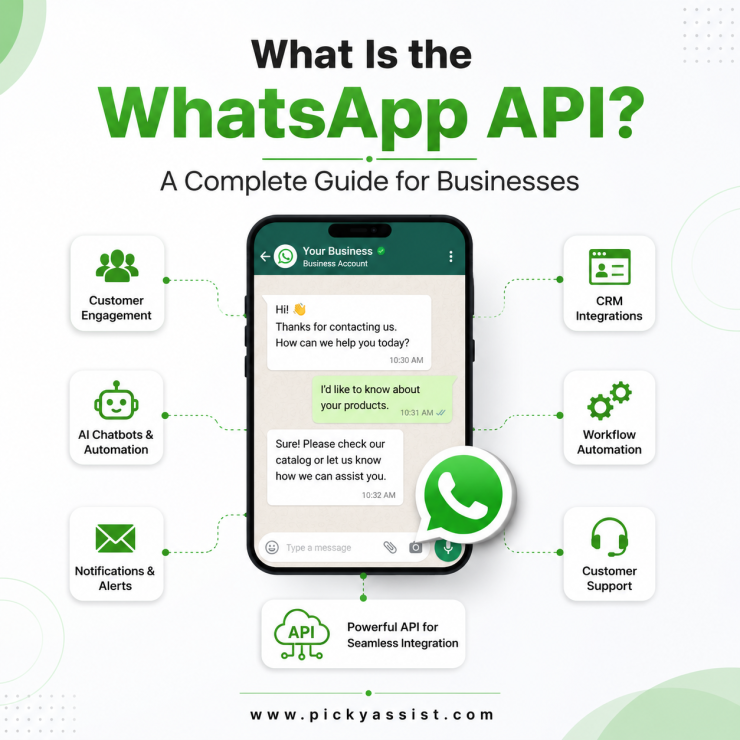
API stands for Application Programming Interface. In simple terms, it is a way for two software systems to communicate with each other.

For example, instead of manually sending messages to customers one by one through a phone, a business can connect its WhatsApp account to a messaging platform and manage conversations, customer support, notifications, and approved campaigns from that platform.
The API is especially useful for businesses that:
- Communicate with large numbers of customers.
- Need to manage several customer conversations.
- Want to automate certain responses.
- Send order confirmations and appointment reminders.
- Run approved marketing campaigns.
- Need multiple team members to manage customer communication.
The API does not function like an ordinary WhatsApp application. Businesses generally access its capabilities through an approved business solution provider or a platform that has integrated the WhatsApp Business Platform.
WhatsApp Business API Terms You Should Know
Let’s explore the terms you are most likely to encounter when setting up or managing WhatsApp marketing.
1. API: Application Programming Interface
An API is a connection that allows different software applications to exchange information and perform actions.
Think of it as a bridge between two systems.
For example, a business may use a messaging platform to manage its customer contacts. When the platform is connected to the WhatsApp Business Platform, it can send eligible WhatsApp messages through that connection.
You do not necessarily need to understand how the technical connection works to use it. What matters is knowing that the API makes it possible to manage WhatsApp communication through external software.
In simple terms: The API is the technology that allows your business messaging platform to communicate with WhatsApp.
2. WhatsApp Business Platform
The WhatsApp Business Platform is Meta’s official business messaging infrastructure. It was previously commonly referred to as the WhatsApp Business API.
It allows businesses to connect WhatsApp to customer service software, marketing platforms, CRMs, and other systems.
The platform supports features such as:
- Sending approved message templates.
- Receiving and responding to customer messages.
- Managing customer conversations through connected software.
- Automating certain communication processes.
- Sending notifications and transactional updates.
- Integrating WhatsApp into existing business workflows.
In simple terms: The WhatsApp Business Platform is the official system that makes advanced business messaging possible.
3. WhatsApp Business Account
A WhatsApp Business Account is the business identity associated with your company’s WhatsApp presence.
It is managed through Meta’s business infrastructure and can be connected to the WhatsApp Business Platform.
Depending on the setup, you may encounter two important account-related terms:
- WhatsApp Business Account (WABA): The account that represents your business within WhatsApp’s business messaging system.
- WhatsApp Business Profile: The information customers may see about your business, such as its name, description, category, website, and contact details.
A business account is different from the regular WhatsApp account used for personal communication.
In simple terms: Your WhatsApp Business Account is the business identity used to manage your official WhatsApp messaging activities.

4. Message Templates
A message template is a pre-approved message format that businesses use to initiate conversations or send messages outside the customer service window.
Templates are submitted for review before they can be used. They must follow WhatsApp’s messaging policies and formatting requirements.
For example, a business may prepare an appointment reminder:
“Hello {{1}}, this is a reminder that your appointment is scheduled for {{2}} at {{3}}. Please contact us if you need to make changes.”
The placeholders allow the business to insert customer-specific information, such as a name, date, or appointment time.
Templates are generally grouped into three main categories:
Marketing templates
These are used for promotional communication, offers, product announcements, and campaigns designed to encourage customer engagement or purchases.
Example:
“Hello {{1}}, our new collection is now available. Explore the latest arrivals and let us know if you would like assistance.”
Utility templates
These communicate updates related to an existing transaction, account, or service.
Examples include:
- Order confirmations.
- Delivery updates.
- Appointment reminders.
- Payment notifications.
- Account updates.
Authentication templates
These are used to verify a customer’s identity, commonly through one-time passwords or verification codes.
Example:
“Your verification code is {{1}}. Do not share this code with anyone.”
In simple terms: A template is a message format approved for specific business messaging purposes. It allows you to send eligible messages without writing a completely new message each time.
5. Display Name
Your WhatsApp display name is the business name customers see when interacting with your business on WhatsApp.
For example, if your company is called Brightline Stores, you may want your WhatsApp display name to appear as Brightline Stores rather than a personal name or phone number.
Display names must follow WhatsApp’s guidelines. They should accurately represent the business and have a clear relationship with the business’s identity.
A display name may need to go through review before it can be used in the relevant business messaging setup.
In simple terms: Your display name is the business name customers recognize when receiving messages from your WhatsApp account.
6. Quality Rating
Your WhatsApp quality rating is an indication of how customers are responding to messages from your business.
Customer feedback, including blocks and reports, can affect the quality of your messaging activity.
WhatsApp may show quality indicators such as:
- Green: High quality.
- Yellow: Medium quality.
- Red: Low quality.
The exact account status and available indicators depend on the account interface and current Meta policies.
A poor quality rating may lead to messaging restrictions or reduced messaging capacity.
To maintain good messaging quality:
- Contact people who have agreed to receive your messages.
- Send relevant information.
- Avoid sending excessive promotional messages.
- Make it easy for customers to stop receiving marketing messages.
- Respect customer preferences.
- Avoid misleading or repetitive campaigns.
In simple terms: Your quality rating reflects how healthy your business messaging activity is based on customer feedback and other platform signals.
7. Opt-In
Opt-in means a customer has given permission to receive messages from your business on WhatsApp.
This is an important part of responsible WhatsApp marketing.
A customer may opt in by:
- Checking a consent box on a website form.
- Submitting a WhatsApp enquiry and agreeing to receive further updates.
- Signing up through a business registration form.
- Selecting an option to receive promotional updates.
- Providing consent through another clear and valid business process.
For example, a customer purchasing from an online store may select:
“I agree to receive order updates and promotional messages from this business through WhatsApp.”
The business should make it clear what type of messages the customer is agreeing to receive.
Permission to receive order updates should not automatically be treated as permission to receive unrelated promotional campaigns.
In simple terms: Opt-in means the customer has agreed to receive the relevant WhatsApp messages from your business.
8. Opt-Out
Opt-out means a customer has chosen to stop receiving messages from your business.
For example, a customer may reply:
- STOP
- UNSUBSCRIBE
- Please remove me from your list.
- I no longer want promotional messages.
Your business should respect this request and stop sending the relevant messages.
A customer who opts out of marketing communication may still need to receive essential service-related communication where appropriate and permitted, but you must not use that as a reason to continue promotional messaging.
Businesses should maintain an updated contact list so that customers who have opted out are excluded from future marketing campaigns.
In simple terms: Opt-out means the customer no longer wants to receive the relevant messages. Respecting that decision is essential.
9. Customer Service Window or Session Window
The customer service window is the period during which a business can respond to a customer’s WhatsApp message using free-form messages, subject to the applicable WhatsApp rules.
Under the standard WhatsApp Business Platform messaging model, a 24-hour customer service window opens or resets when a customer sends a message to the business.
For example:
- A customer sends your business a WhatsApp message at 10:00 AM on Monday.
- Your business can respond using regular, non-template messages during the following 24-hour window.
- If the customer sends another message, the window resets from that interaction.
Once the 24-hour window closes, the business generally needs an approved message template to initiate another message.
This distinction is important when managing customer conversations and follow-ups.
In simple terms: The session window is the period after a customer messages your business during which you can respond with regular messages without using an approved template.
10. Free-Form Messages
Free-form messages are ordinary messages that businesses send during an open customer service window.
They do not need to be pre-approved as templates in the same way as messages sent outside that window.
Examples include:
- Answering a customer’s question.
- Explaining a product.
- Sharing requested information.
- Helping someone complete an order.
- Providing customer support.
For example, if a customer asks whether a product is available, your business can respond naturally during the open customer service window.
In simple terms: Free-form messages are normal replies you can send while the customer service window is open.
11. Messaging Limits
Messaging limits refer to restrictions on how many unique customers a business can initiate conversations with during a specified period.
These limits may depend on the business’s account status, messaging quality, verification, and other factors determined by Meta.
A business should not assume that connecting to the WhatsApp Business Platform automatically gives it unlimited messaging capacity.
Messaging limits can change as an account develops and meets the platform’s requirements.
In simple terms: Messaging limits determine how many customers your business can initiate conversations with within the applicable period.
12. Message Status: Sent, Delivered, and Read
When running a WhatsApp campaign, you may encounter different message statuses.
Understanding them helps you interpret campaign performance.
Sent: The message has been submitted and accepted for delivery by the messaging system.
Delivered: The message has reached the recipient’s WhatsApp account or device according to the platform’s delivery reporting.
Read: The recipient has opened the message, where read receipts are available.
These statuses are not interchangeable.
For example, if a campaign shows 1,000 messages sent, it does not automatically mean that 1,000 people received or read them.
A useful campaign report should distinguish between messages sent, delivered, read, and any replies received.
13. Phone Number Registration
A phone number must be properly registered and connected to the WhatsApp Business Platform before it can be used for API-based business messaging.
The setup process may involve verifying ownership of the number and completing the required account configuration.
Businesses should also understand that a number’s eligibility and migration options depend on its existing WhatsApp setup and Meta’s current rules.
In simple terms: Phone number registration connects an eligible business phone number to the official messaging system.
14. Webhooks
A webhook is an automated notification sent from one software system to another when a particular event happens.
For example, when a customer sends your business a WhatsApp message, the messaging platform can receive a webhook notification containing information about that event.
Webhooks can also communicate message status updates, such as delivery or read events, depending on the integration.
You may not interact with webhooks directly when using a platform such as WanzieSend, but they can help the software process customer messages and update campaign information.
In simple terms: A webhook is an automatic notification that tells connected software when something happens.
How These WhatsApp Business API Terms Show Up Inside WanzieSend
Understanding the terminology becomes easier when you connect it to the activities you perform inside a messaging platform.
WanzieSend helps businesses manage WhatsApp communication and campaigns through a connected messaging environment. The exact features available depend on your account configuration, WhatsApp connection, and platform setup.
Here is how the concepts relate to everyday campaign management.
| WhatsApp term | What it means in practice |
|---|---|
| API | The connection that allows WanzieSend to communicate with WhatsApp. |
| Business Platform | Meta’s official infrastructure supporting your connected business messaging. |
| Business Account | The WhatsApp business identity associated with your messaging setup. |
| Message Templates | Approved messages you can use for eligible campaign or notification purposes. |
| Display Name | The business name associated with your WhatsApp presence. |
| Quality Rating | An indicator of your messaging quality and customer feedback. |
| Opt-In | Permission from customers to receive relevant messages. |
| Opt-Out | A customer’s request to stop receiving relevant messages. |
| Session Window | The 24-hour customer service period after a customer messages your business. |
| Message Status | Information showing whether messages were sent, delivered, or read. |
Example: Sending a WhatsApp Campaign Through WanzieSend
Imagine a business wants to send an announcement about a new product to customers who have agreed to receive promotional messages.
The process may look like this:
Step 1: Prepare Your Contact List
Upload or select the customer contacts you are permitted to message.
Make sure your list is accurate and that the relevant customers have opted in to receive the type of campaign you intend to send.
Step 2: Prepare Your Message
Write the campaign message and use an approved marketing template if the message requires one.
The message should be relevant, clear, and aligned with the purpose for which customers gave permission.
Step 3: Check Your WhatsApp Connection
Confirm that your WhatsApp Business Platform connection is active and that the correct business account and phone number are selected.
Step 4: Schedule or Send the Campaign
Depending on the features available in your WanzieSend account, you can prepare and send the campaign to the selected audience.
Step 5: Monitor Campaign Results
Review the available message statuses and responses.
Pay attention to:
- Messages sent.
- Messages delivered.
- Messages read, where available.
- Customer replies.
- Failed messages.
- Opt-out requests.
Step 6: Follow Up Responsibly
Customers who reply may open a customer service window, allowing your team to continue the conversation using free-form messages.
For customers who do not respond, any later follow-up must comply with the applicable template, consent, and messaging rules.
The goal is not simply to send more messages. It is to communicate with the right people in a way that respects their preferences and encourages meaningful conversations.
Common WhatsApp Business API Misunderstandings
Even after learning the basic terminology, businesses can still make mistakes when using WhatsApp for marketing.
Here are a few misunderstandings worth avoiding.
Myth 1: Having a Customer’s Phone Number Means You Can Message Them
Having someone’s phone number does not automatically mean you have permission to send them WhatsApp marketing messages.
You should obtain and maintain appropriate opt-in consent before sending promotional communication.
Myth 2: Every WhatsApp Message Requires a Template
Not every message requires a template.
When a customer service window is open, businesses can generally respond using free-form messages. Approved templates are generally required when initiating messages outside that window.
Myth 3: A Delivered Message Means the Customer Read It
Delivered and read are different statuses.
A message may be delivered without being opened. Read receipts may also be unavailable in some situations.
Myth 4: A Business Can Send Unlimited Campaigns
WhatsApp messaging is subject to quality requirements, messaging limits, and other platform policies.
Sending too many irrelevant messages can harm customer trust and may affect the business’s messaging status.
Myth 5: A Messaging Platform Removes the Need to Follow WhatsApp Rules
Using WanzieSend or another messaging platform does not remove your responsibility to follow WhatsApp’s policies.
Businesses remain responsible for consent, message relevance, opt-out requests, and the content they send.
Best Practices for Businesses Using WhatsApp Business API
To build a reliable WhatsApp marketing process, keep these practices in mind:
- Collect proper consent: Make sure customers understand what types of messages they are agreeing to receive.
- Segment your contact list: Group customers based on their interests, actions, or relationship with your business.
- Use the correct templates: Choose the appropriate template category for the message you want to send.
- Keep messages relevant: Avoid sending promotional content that has little connection to the customer’s interests.
- Respect opt-out requests: Remove customers from relevant marketing lists when they withdraw permission.
- Monitor your quality rating: Pay attention to customer feedback and messaging performance.
- Track campaign results: Use delivery, read, reply, and conversion data to understand what is working.
- Train your team: Make sure everyone managing customer communication understands the rules and knows how to handle enquiries.
These practices help protect your business’s messaging reputation while creating a better customer experience.
Final Thoughts: Understand the Terms Before You Start Sending Campaigns
The WhatsApp Business API may seem technical at first, but its terminology becomes easier to understand when you connect each term to an everyday business activity.
The API connects your messaging software to WhatsApp. Templates help businesses initiate eligible conversations. Opt-in and opt-out manage customer permission. Quality ratings provide feedback on messaging health, while session windows determine when businesses can respond using regular messages.
For businesses using WanzieSend, understanding these concepts makes it easier to prepare campaigns, manage contacts, interpret message reports, and communicate responsibly.
You do not need to be a technical expert to use WhatsApp Business messaging effectively. You need to understand the basic rules, organize your contacts properly, and use the available tools with a clear communication strategy.
Ready to manage your business communication more effectively?
Explore how WanzieSend can support your WhatsApp marketing and customer communication activities.
Visit WanzieSend to learn more about managing business messaging and campaigns.